

# Type Hinting
Just like an NPM Package, {props.name || 'Module Federation'} artifacts also generate types and enjoy hot-reloading of types, even though the artifacts are hosted on a remote CDN.
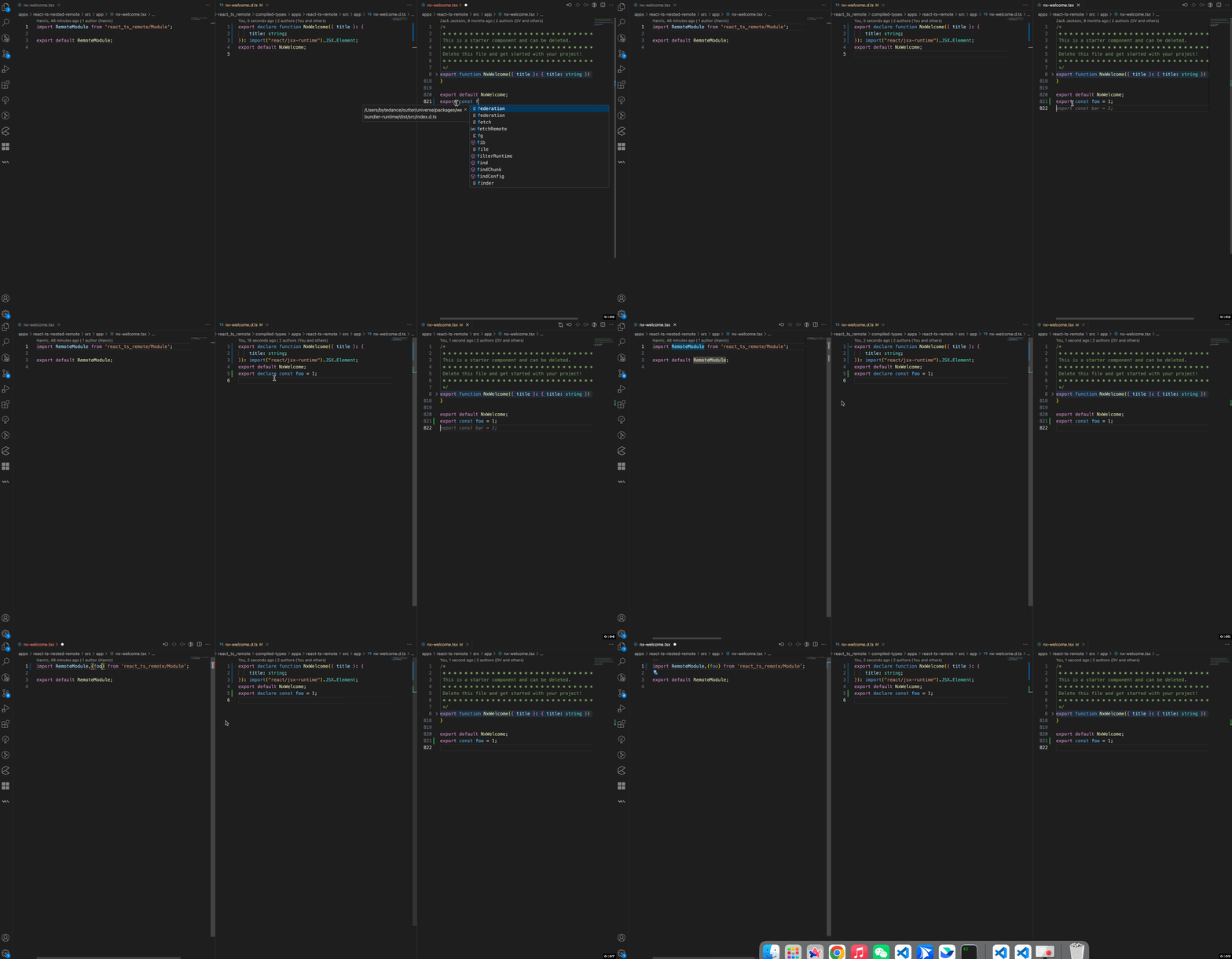 ### Runtime API Type Hinting
:::info
If the builder is `webpack`, you also need to add `**/@mf-types/**` to [watchOptions.ignored](https://webpack.js.org/configuration/watch/#watchoptionsignored) to avoid circular compilation issues caused by type updates.
:::
You need to add `./@mf-types/*` to the `include` field to enjoy `Runtime` `loadRemote` type hinting and type hot reloading.
```json title="tsconfig.json"
{
"include": ["./@mf-types/*"]
}
```
### Runtime API Type Hinting
:::info
If the builder is `webpack`, you also need to add `**/@mf-types/**` to [watchOptions.ignored](https://webpack.js.org/configuration/watch/#watchoptionsignored) to avoid circular compilation issues caused by type updates.
:::
You need to add `./@mf-types/*` to the `include` field to enjoy `Runtime` `loadRemote` type hinting and type hot reloading.
```json title="tsconfig.json"
{
"include": ["./@mf-types/*"]
}
```
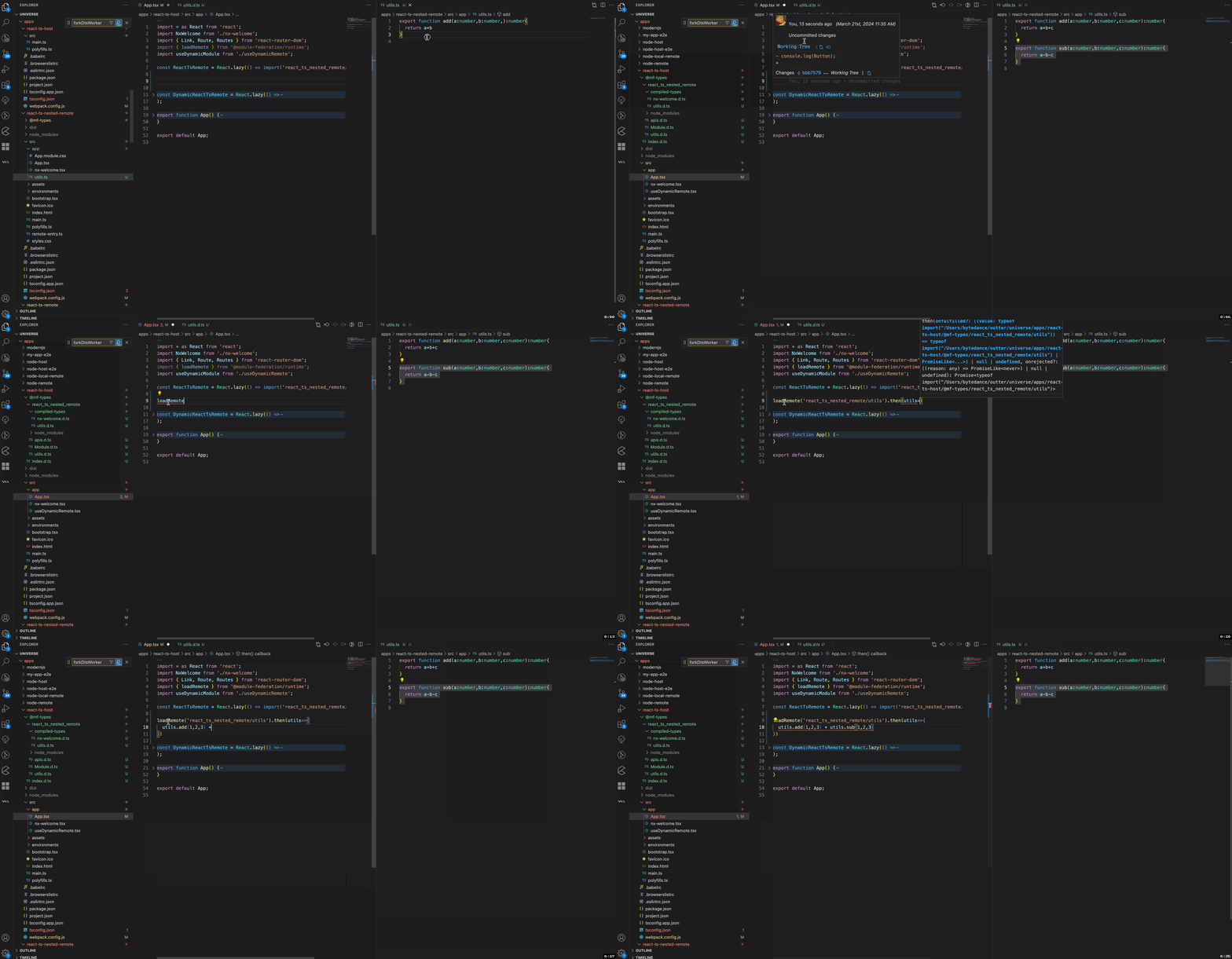 ### Third-Party Package Type Extraction
{props.name || 'Module Federation'} automatically extracts third-party package types to ensure that `exposes` file types can be accessed normally.
### Third-Party Package Type Extraction
{props.name || 'Module Federation'} automatically extracts third-party package types to ensure that `exposes` file types can be accessed normally.
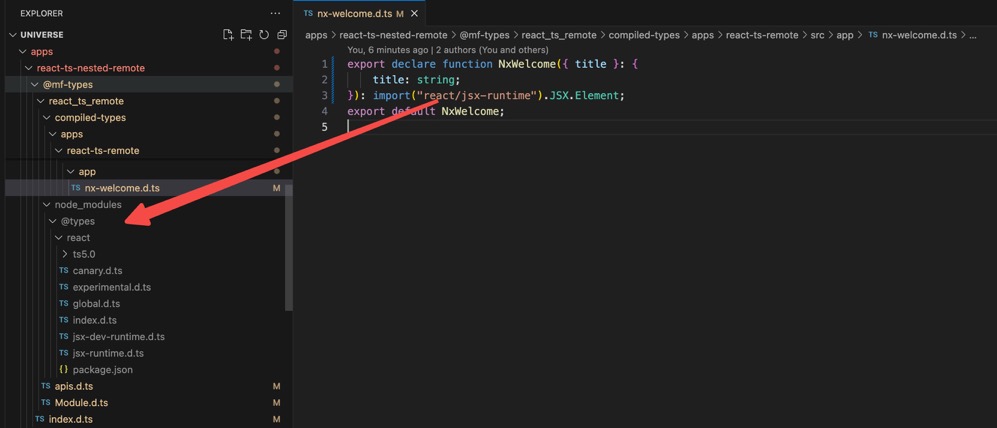 ### Nested Type Re-export
{props.name || 'Module Federation'} supports nested remotes and will automatically extract the types of nested remotes.
### Nested Type Re-export
{props.name || 'Module Federation'} supports nested remotes and will automatically extract the types of nested remotes.
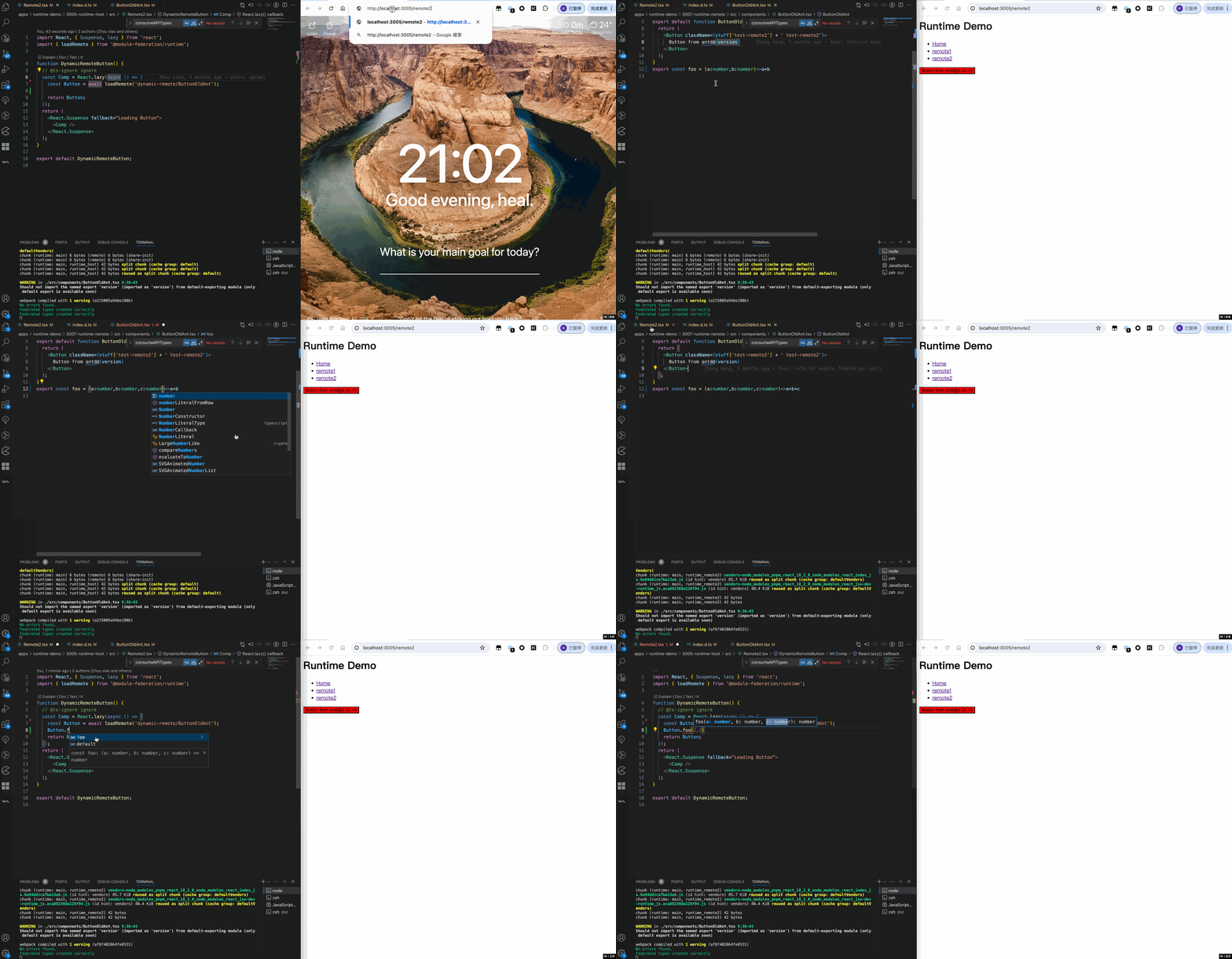
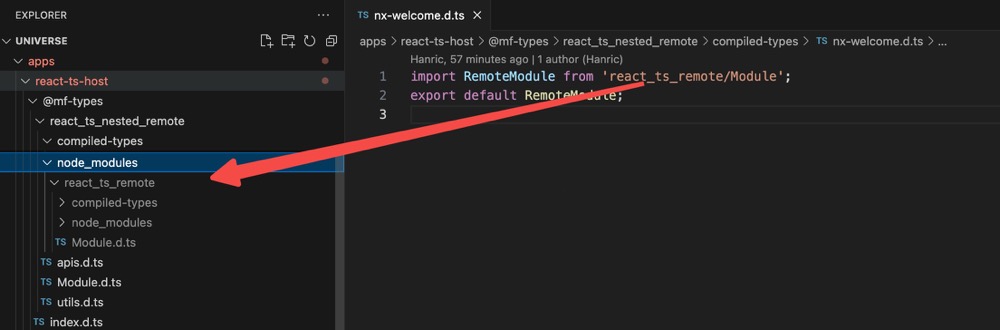 ### Dynamic Type Hinting
{props.name || 'Module Federation'} supports loading dynamic types and also supports hot updates.
### Dynamic Type Hinting
{props.name || 'Module Federation'} supports loading dynamic types and also supports hot updates.
 ## Configuration
- [dts](/configure/dts.md): Type generation/loading
- [dev](/configure/dev.md): Type hot reloading
## FAQ
### Project has circular compilation and cannot be terminated
A: It is likely that the compiler is watching for changes in the type folder or the `dist` directory. Add `@mf-types` to the ignored files.
For example, with webpack/rspack:
```ts
config.watchOptions = {
ignored: ['**/node_modules/**', '**/@mf-types/**'],
};
```
### 2. No type files are generated, how to find the reason?
**Solution**
1. Add the `FEDERATION_DEBUG=true` environment variable before the project startup command.
2. Set [dts.displayErrorInTerminal](/configure/dts.md#displayerrorinterminal) to `true`.
3. Start the project and check the console output.
4. (Optional) If there is no error in the console, check the `.mf/typesGenerate.log` log file.
## Configuration
- [dts](/configure/dts.md): Type generation/loading
- [dev](/configure/dev.md): Type hot reloading
## FAQ
### Project has circular compilation and cannot be terminated
A: It is likely that the compiler is watching for changes in the type folder or the `dist` directory. Add `@mf-types` to the ignored files.
For example, with webpack/rspack:
```ts
config.watchOptions = {
ignored: ['**/node_modules/**', '**/@mf-types/**'],
};
```
### 2. No type files are generated, how to find the reason?
**Solution**
1. Add the `FEDERATION_DEBUG=true` environment variable before the project startup command.
2. Set [dts.displayErrorInTerminal](/configure/dts.md#displayerrorinterminal) to `true`.
3. Start the project and check the console output.
4. (Optional) If there is no error in the console, check the `.mf/typesGenerate.log` log file.
{props.pkgName || '@module-federation/enhanced'}
has type hinting enabled by default. This article will introduce several common usage scenarios and their specific configurations.
## Usage Scenarios
### Generating Types
When building with the build plugin provided by {props.pkgName || '@module-federation/enhanced'}
, type files are automatically generated.
### Loading Types
1. Consumer modifies `tsconfig.json`
Add `paths` in `tsconfig.json`:
```json
{
"compilerOptions": {
"paths": {
"*": ["./@mf-types/*"]
}
}
}
```
2. Start the consumer and producer
> info: You don't need to worry about the startup order of the producer and consumer.
After starting, the consumer will automatically fetch the producer's type files.
### Type Hot Reloading
After modifying the producer's code, the consumer will automatically fetch the producer's types.
### Runtime API Type Hinting
:::info
If the builder is `webpack`, you also need to add `**/@mf-types/**` to [watchOptions.ignored](https://webpack.js.org/configuration/watch/#watchoptionsignored) to avoid circular compilation issues caused by type updates.
:::
You need to add `./@mf-types/*` to the `include` field to enjoy `Runtime` `loadRemote` type hinting and type hot reloading.
```json title="tsconfig.json"
{
"include": ["./@mf-types/*"]
}
```
### Third-Party Package Type Extraction
{props.name || 'Module Federation'} automatically extracts third-party package types to ensure that `exposes` file types can be accessed normally.
### Nested Type Re-export
{props.name || 'Module Federation'} supports nested remotes and will automatically extract the types of nested remotes.
### Dynamic Type Hinting
{props.name || 'Module Federation'} supports loading dynamic types and also supports hot updates.
## Configuration
- [dts](/configure/dts.md): Type generation/loading
- [dev](/configure/dev.md): Type hot reloading
## FAQ
### Project has circular compilation and cannot be terminated
A: It is likely that the compiler is watching for changes in the type folder or the `dist` directory. Add `@mf-types` to the ignored files.
For example, with webpack/rspack:
```ts
config.watchOptions = {
ignored: ['**/node_modules/**', '**/@mf-types/**'],
};
```
### 2. No type files are generated, how to find the reason?
**Solution**
1. Add the `FEDERATION_DEBUG=true` environment variable before the project startup command.
2. Set [dts.displayErrorInTerminal](/configure/dts.md#displayerrorinterminal) to `true`.
3. Start the project and check the console output.
4. (Optional) If there is no error in the console, check the `.mf/typesGenerate.log` log file.